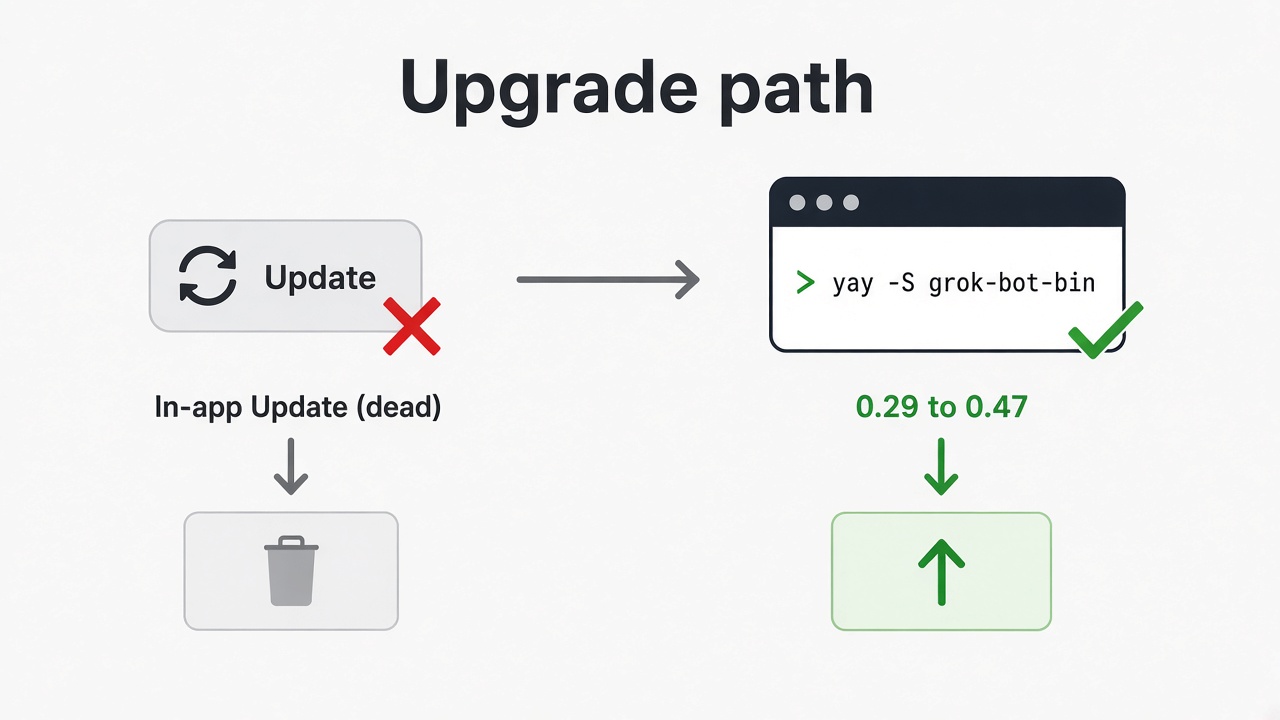
Stuck on 0.29.0. We needed egress, but Check for Updates / Update was dead in-app, so we couldn’t enable it. The unlock was a terminal upgrade. Run ~/bin/upgrade-grok-bot.sh (general AUR yay -S grok-bot-bin). Our first run was 0.29 → 0.47. The CEO Grok Bot agent in chat wrote / helped with that path.
How-to video (owner cut, first 60s) — same script on a later run when AUR had lagged (0.47 → 0.51):
What was broken
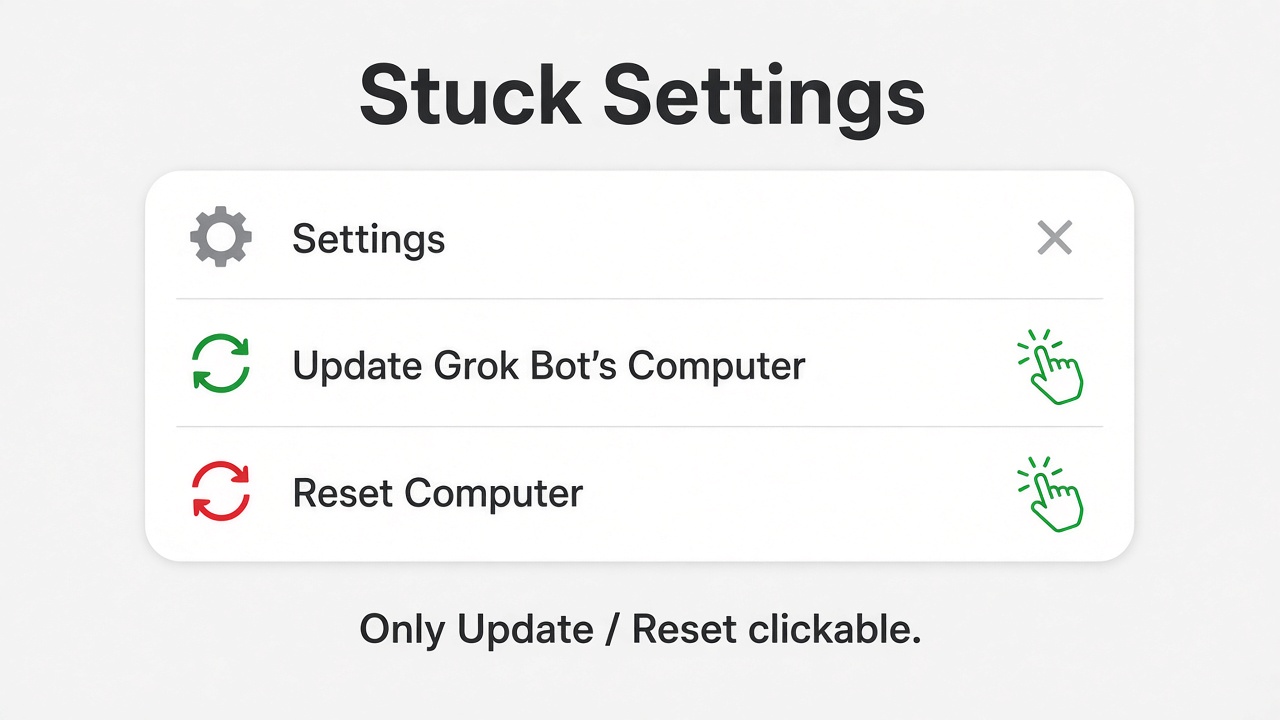
Settings opened. Check for Updates wasn’t usable. We were stuck on an older build while newer ones existed.
The unlock: terminal upgrade
Note: Arch/Omarchy + yay only; prefers AUR, falls back to official .deb when AUR lags; not Windows/Mac.
Give this to your agent — paste the script (or the download) and tell your Grok Bot / Cursor agent to install or run it on your Arch/Omarchy machine. Readers shouldn’t have to be the sysadmin; the agent can drive it.
What worked right after: the upgrade script. Download: upgrade-grok-bot.sh (save as ~/bin/upgrade-grok-bot.sh, then chmod +x ~/bin/upgrade-grok-bot.sh).
~/bin/upgrade-grok-bot.shThat script prefers AUR yay -S grok-bot-bin when current enough, and falls back to the official .deb via makepkg when AUR lags (quit the app first; when asked, remove the conflicting grok-bot package; keep ~/.config/Grok Bot). Same idea by hand when AUR is current:
yay -S grok-bot-binOur first run was 0.29 → 0.47. After that, the stuck-on-old-version / dead Check for Updates problem was gone. (Older ~/bin/upgrade-grok-bot-047.sh is a thin wrapper that calls upgrade-grok-bot.sh.)
Full script (copy-paste):
#!/usr/bin/env bash
# Upgrade Grok Bot on Arch/Omarchy.
# Prefer AUR grok-bot-bin when it matches Cursor stable.
# If AUR lags, install the official .deb via makepkg (pacman-tracked).
set -euo pipefail

HELPERS="$(cd "$(dirname "$0")" && pwd)/grok-bot-upgrade-helpers"
WORKDIR="${TMPDIR:-/tmp}/grok-bot-upgrade-$$"

ver_ge() {
  # true if $1 >= $2 (x.y.z)
  printf '%sn%sn' "$2" "$1" | sort -V | head -1 | grep -qx "$2"
}

installed_version() {
  if pacman -Q grok-bot-bin >/dev/null 2>&1; then
    pacman -Q grok-bot-bin | awk '{print $2}' | sed 's/-.*//'
  elif pacman -Q grok-bot >/dev/null 2>&1; then
    pacman -Q grok-bot | awk '{print $2}' | sed 's/-.*//'
  else
    echo "0"
  fi
}

aur_version() {
  yay -Si grok-bot-bin 2>/dev/null | awk -F' *: *' '/^Version/{print $2; exit}' | sed 's/-.*//' || true
}

official_meta() {
  python3 - <<'PY'
import json, urllib.request, uuid, re, sys
mid = str(uuid.uuid4())
url = f"https://api2.cursor.sh/updates/api/update/linux-x64/sand/0.1.0/{mid}/stable"
req = urllib.request.Request(url, headers={"User-Agent": "upgrade-grok-bot/1.1"})
with urllib.request.urlopen(req, timeout=30) as r:
    d = json.loads(r.read().decode())
ver = d.get("productVersion") or d.get("version")
u = d.get("url") or ""
m = re.search(r"/([0-9a-f]{40})/", u)
if not ver or not m:
    print("failed to parse official release", ver, u, file=sys.stderr)
    sys.exit(2)
commit = m.group(1)
deb = f"https://downloads.cursor.com/grokbot/stable/{commit}/linux/x64/grok-bot_{ver}_amd64.deb"
print(ver)
print(commit)
print(deb)
PY
}

backup_config() {
  mkdir -p ~/backups
  local stamp=~/backups/"Grok-Bot-config-$(date +%F)"
  if [[ ! -d "$stamp" ]]; then
    cp -a ~/.config/"Grok Bot" "$stamp" || true
  fi
  echo "Config backup: $stamp"
}

quit_app() {
  echo "Quitting Grok Bot (this chat dies if still open)..."
  pkill -TERM -f '/opt/Grok Bot/grok-bot' 2>/dev/null || true
  sleep 2
  if pgrep -af '/opt/Grok Bot/grok-bot' >/dev/null; then
    pkill -KILL -f '/opt/Grok Bot/grok-bot' 2>/dev/null || true
    sleep 1
  fi
  if pgrep -af '/opt/Grok Bot/grok-bot' >/dev/null; then
    echo "Could not stop Grok Bot; abort."
    exit 1
  fi
  echo "grok-bot stopped"
}

install_via_aur() {
  echo "AUR grok-bot-bin is current enough — using yay..."
  yay -S grok-bot-bin --answerclean N --answerdiff N --answeredit N
}

install_via_official() {
  local ver="$1"
  local deb_url="$3"
  echo "AUR lags. Installing official ${ver} from Cursor CDN via makepkg..."
  mkdir -p "$WORKDIR"
  cd "$WORKDIR"
  curl -fL --retry 3 -o "grok-bot_${ver}_amd64.deb" "$deb_url"
  local sum
  sum="$(sha256sum "grok-bot_${ver}_amd64.deb" | awk '{print $1}')"

  if [[ -f "$HELPERS/grok-bot.sh" ]]; then
    cp "$HELPERS/grok-bot.sh" ./grok-bot.sh
  else
    cat > grok-bot.sh << 'EOS'
#!/bin/sh
export FONTCONFIG_NO_CHECK_CACHE_VERSION=1
exec "/opt/Grok Bot/grok-bot" "$@"
EOS
  fi
  chmod +x grok-bot.sh

  cat > PKGBUILD <<PKG
pkgname=grok-bot-bin
pkgver=${ver}
pkgrel=1
pkgdesc='Grok Bot desktop agent (official deb via upgrade-grok-bot.sh)'
arch=('x86_64')
url='https://cursor.com'
license=('LicenseRef-Proprietary')
depends=(gtk3 libnotify nss libxss libxtst xdg-utils at-spi2-core util-linux-libs libsecret hicolor-icon-theme alsa-lib libappindicator)
provides=('sand' 'grok-bot')
conflicts=('sand' 'grok-bot' 'grokbot-linux-port' 'grokbot-linux-port-bin')
replaces=('grok-bot')
options=('!strip' '!debug')
source=(
  "grok-bot_${pkgver}_amd64.deb"
  grok-bot.sh
)
sha256sums=('${sum}' 'SKIP')
noextract=("grok-bot_${pkgver}_amd64.deb")
package() {
  bsdtar -O -xf "grok-bot_${pkgver}_amd64.deb" data.tar.xz | bsdtar -C "${pkgdir}" -xJf -
  local _res="${pkgdir}/opt/Grok Bot/resources"
  if [[ -f "${_res}/apparmor-profile" ]]; then
    install -Dm644 "${_res}/apparmor-profile" "${pkgdir}/etc/apparmor.d/grok-bot"
  fi
  install -Dm755 grok-bot.sh "${pkgdir}/usr/bin/grok-bot"
  ln -sf grok-bot "${pkgdir}/usr/bin/sand"
  if [[ -f "${pkgdir}/usr/share/applications/grok-bot.desktop" ]]; then
    sed -i 's|^Exec=.*|Exec=grok-bot %U|' "${pkgdir}/usr/share/applications/grok-bot.desktop"
  fi
  rm -rf "${pkgdir}/usr/share/doc"
}
PKG

  makepkg -si --noconfirm
  cd /
  rm -rf "$WORKDIR"
}

verify() {
  echo "Verify:"
  pacman -Qi grok-bot-bin 2>/dev/null | rg -i '^(Name|Version)' || true
  ls -l /usr/bin/grok-bot /usr/bin/sand
  test -d ~/.config/"Grok Bot" && echo "config intact"
  echo "Done. Launch with: grok-bot"
}

main() {
  echo "== Grok Bot upgrade (AUR or official when AUR lags) =="
  backup_config

  mapfile -t meta < <(official_meta)
  local official="${meta[0]}"
  local commit="${meta[1]}"
  local deb_url="${meta[2]}"
  local installed aur
  installed="$(installed_version)"
  aur="$(aur_version)"
  echo "Installed: ${installed}"
  echo "AUR:       ${aur:-unknown}"
  echo "Official:  ${official}"

  if ver_ge "$installed" "$official"; then
    echo "Already on official-or-newer (${installed}). Nothing to do."
    exit 0
  fi

  quit_app

  if [[ -n "$aur" ]] && ver_ge "$aur" "$official"; then
    install_via_aur
  else
    echo "AUR (${aur:-none}) behind official ${official}."
    install_via_official "$official" "$commit" "$deb_url"
  fi

  verify
}

# Only run when executed, never when sourced
if [[ "${BASH_SOURCE[0]}" == "$0" ]]; then
  main "$@"
fi
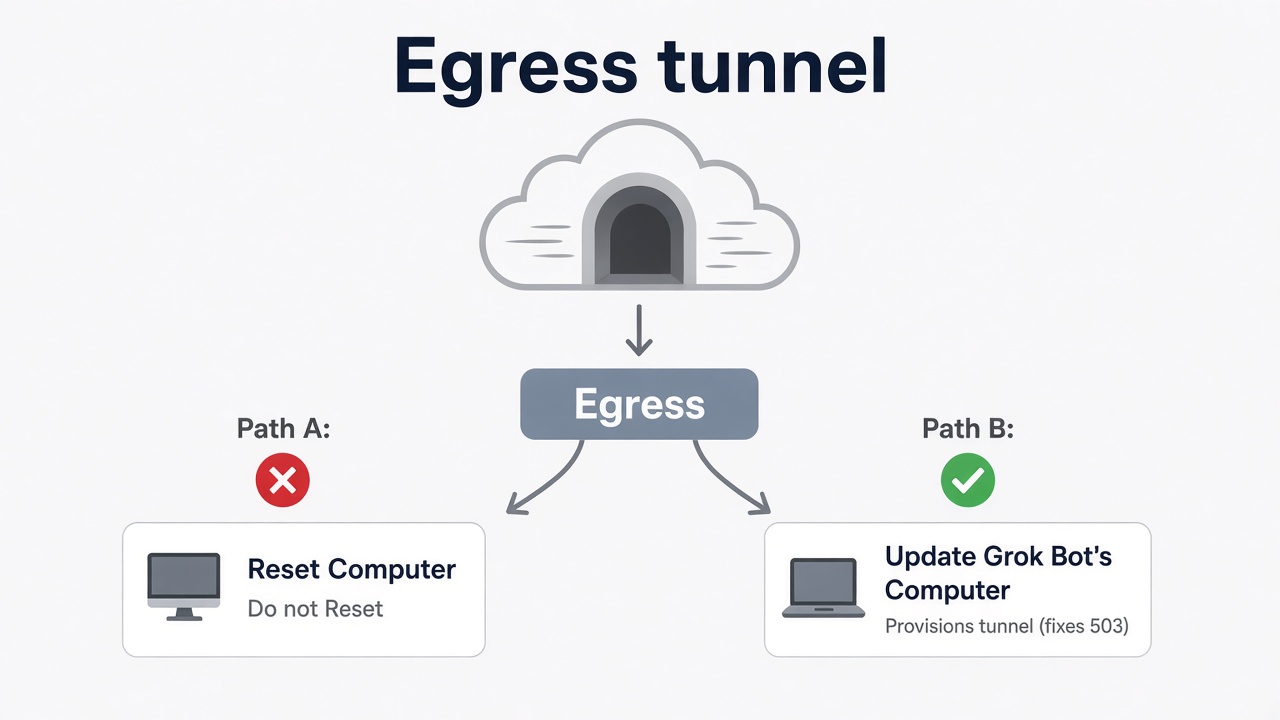
Separate beat: egress 503 — Update Computer, not Reset
If egress still fails with a 503, that’s a missing tunnel — not the version problem. Hit Update Grok Bot’s Computer. Do not hit Reset Computer for this.

Harmless terminal noise
You may see grok-bot-tray chatter and Node ExperimentalWarning lines. Leave the terminal open; that noise is harmless for this setup.
Quick checklist
| Symptom | Try this | Don’t |
|---|---|---|
| Stuck on an old build (we were on 0.29.0); Check for Updates dead | ~/bin/upgrade-grok-bot.sh or yay -S grok-bot-bin (quit app; keep config) |
Rely on in-app Check for Updates on this build |
| Egress 503 / tunnel missing | Update Grok Bot’s Computer | Reset Computer (wrong tool for a missing tunnel) |
| Tray / Node warnings in terminal | Ignore; leave terminal open | Panic-wipe config |
Optional footnote
One morning we also tried --ozone-platform=x11 when clicks felt flaky. Owner is not convinced that was the fix; the lasting unlock for the stuck version was the upgrade script. Current session can run Wayland. Skip X11 unless you’re chasing a click quirk after you’re already on a current build.